Bring incoming orders from Etsy, eBay, WooCommerce, and Shopify into one production queue, see what needs to be made, prioritize ship-by dates, and move each physical product through your own stages.
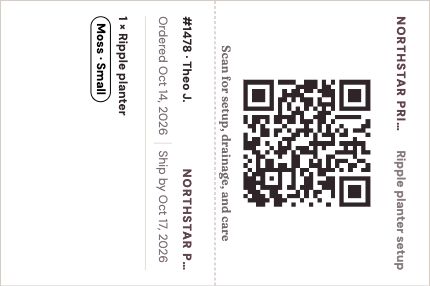
Sample order: move a Ripple planter through production, change its packaging to a box during Packing, hover for packing-list details, then preview and generate a print bundle from Ready to Ship. This demonstration does not access your account.
#14781 item row
New
Ripple planter
Moss · Small
Qty 1
Customer
TJTheo J.
Ship by
Tomorrow
Packing list
Order total
$34.00
Packaging supplies Listing default
1 × Kraft mailer · 12×9
1New
2In ProductionIn prod
3Post-ProductionPost- prod
4Packing
5Ready to ShipReady to ship
Order #1478 · Packing
Packaging supplies
Package for this order
Applies to this order. Your listing default stays unchanged.
#1478 · THEO J.
Create print bundle
Configured bundle previewPage 1
Beyond an order list
A sale is not finished when the order arrives.
For a made-to-order seller, the sale starts a chain of physical work: review personalization, gather materials, make the item, check it, pack it, and ship on time.
Meldsy turns the order into a production job without hiding the buyer, variation, quantity, or ship-by details that guide the work.
A calmer production queue
Know what to make and what ships next.
Whether you sell on Etsy, eBay, WooCommerce, or Shopify, keep production status attached to each order so priorities remain visible from the first step to packing.
1
Incoming order
See the item, quantity, variation, personalization, buyer, and ship-by date.
→2
Your production stages
Move the work through customizable steps that match how your studio operates.
→3
Ready to pack
Hand off the completed product with the order details and packing document together.
Made-to-order details stay visible
Less digging for details. More time crafting.
Use the queue to keep attention on the work without repeatedly opening individual receipts to remember what the customer ordered.
01
Ship-by priority
Surface urgent work and keep promised shipping dates close to production status.
02
Custom orders
Keep variations and personalization beside the physical item as it moves through the studio.
03
Customizable stages
Rename and organize steps around your real process instead of adapting to a generic task list.
04
Packing handoff
Move finished work into packing with the details needed to check and complete the order.
Bambuddy integration
Start order prints from Meldsy.
Turn orders from Etsy, eBay, WooCommerce, and Shopify into reviewed print requests for your Bambu Lab printers through Bambuddy.
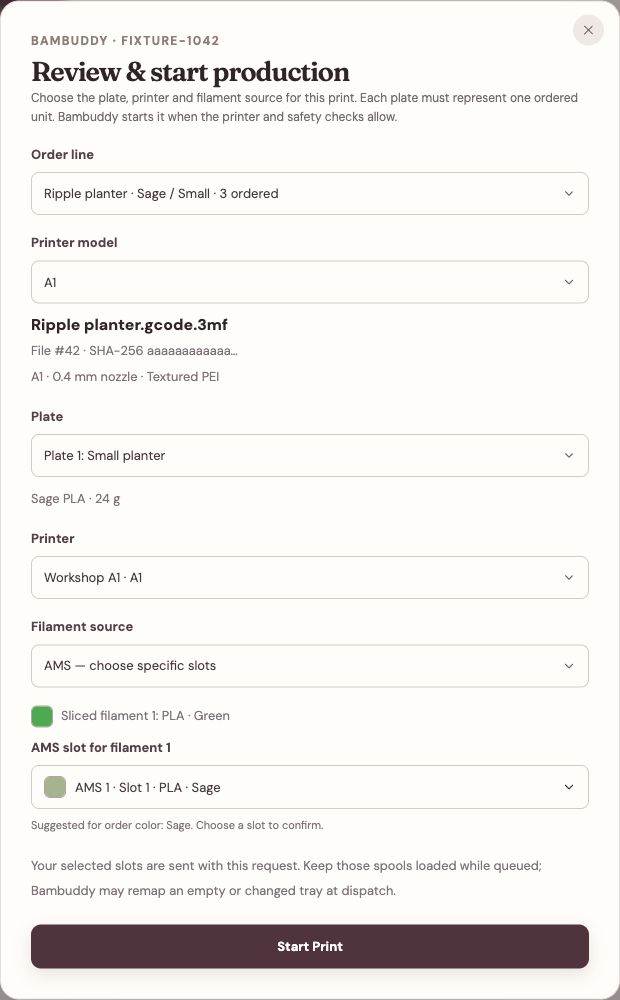
Link a sliced file to each listing and printer model, then open Review & print from the order. Choose the plate, matching printer, and filament, confirm the build plate is clear, and send the print to Bambuddy.
Explore printing from Meldsy →Bambuddy is independent, self-hosted software. Meldsy is not affiliated with or endorsed by Bambuddy or Bambu Lab.
Review the plate, printer, and filament from the order before sending the print to Bambuddy.
Order management FAQ
From sale to shipment
How is this different from Etsy's order list?+
Etsy shows the transaction and fulfillment status. Meldsy adds a seller-controlled production workflow so a physical item can move through the steps required before it is ready to pack.
Can I customize the production stages?+
Yes. Choose stage names that match your shop—for example preparation, making, curing, quality check, packing, and ready to ship.
Does Meldsy change my connected-store orders?+
No—moving an order through your production stages does not change the order in Etsy, eBay, WooCommerce, or Shopify. At the final workflow step, you can optionally close a WooCommerce order or separately review and confirm Complete in Shopify for an eligible Shopify order. If you enable inventory sync, it updates available listing quantities, not the order itself.
Does Meldsy automatically batch similar products?+
Not yet. Meldsy does not currently group similar products automatically.
Turn orders into a plan
See the work between sold and shipped.
Keep order details, production status, and packing handoff in one seller-controlled workflow.